

Figma Portfolio Template: 9 Free Picks + How to Build One That Lands Jobs
Dive deep into our recent blog post featuring expert insights and valuable information for SaaS enthusiasts.
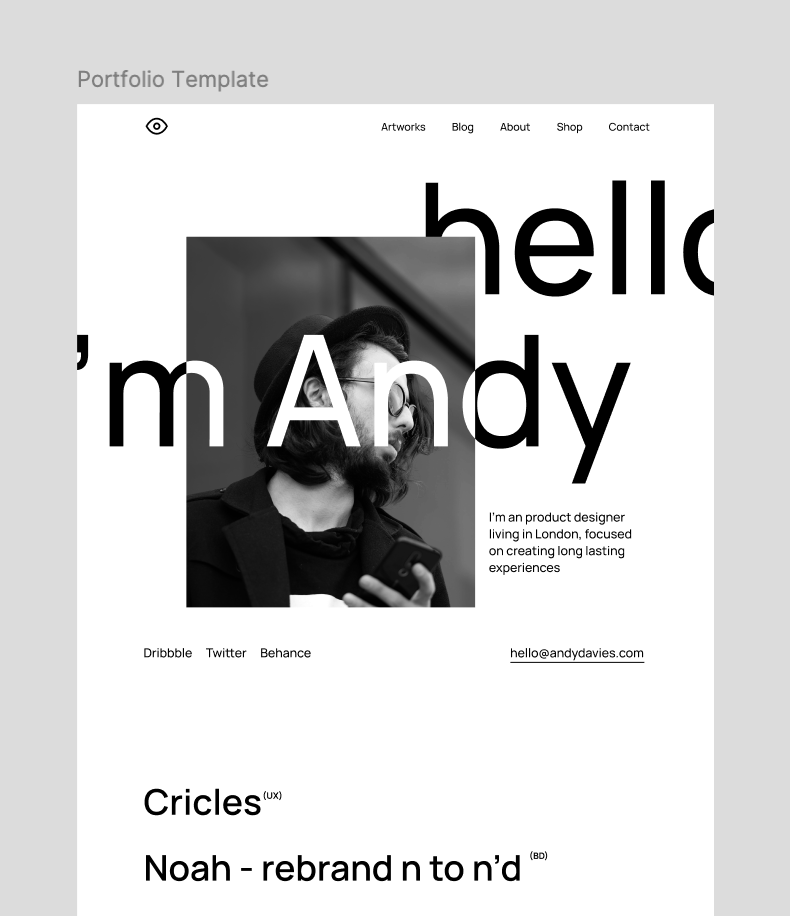
Your portfolio is the single asset that decides whether you get the interview. Yet most designers open a blank Figma canvas, stare at it, and quietly close the tab. The work is done — the presentation of it feels impossible.
A good Figma portfolio template removes that blank-page paralysis. It hands you a proven structure so you can drop in your projects and ship. This guide covers the best free options in 2026, how to build one from scratch, and how to turn it into a live website.
What Is a Figma Portfolio Template?
A Figma portfolio template is a pre-built, editable design file that gives you ready-made pages — an about section, project showcases, case study layouts, and contact details — so you can present your work without designing the layout yourself.
Most live in the Figma Community, are free to duplicate, and are fully customizable. You swap in your own projects, colors, and typography, then export or publish. Think of it as a professionally structured starting line, not a finished race.
Why Designers Start With a Figma Portfolio Template
Building a portfolio layout from zero eats days you don't have — days better spent refining the actual case studies that win jobs. A template compresses that work into an afternoon.
The real advantages are practical:
- Speed: launch in hours instead of weeks, with the structure already solved.
- Proven structure: the hardest part of a portfolio is sequencing your story, and a good template has already made those decisions.
- Consistency: shared type scales, spacing, and components keep every project page looking intentional.
- Flexibility: you still control every pixel, so the result reflects you, not the template.
The trap to avoid: treating a template as a finished product. The winners customize heavily. The forgettable ones ship the demo content with their name pasted on top.
The Best Free Figma Portfolio Templates in 2026
The Figma Community hosts over 2,800 portfolio templates, which is exactly why choosing one is overwhelming. Below are strong starting points grouped by who you are and what you need to prove.
Best for UX/UI Designers: Case-Study-Led Templates
If you're targeting product design roles, hiring managers want to see your thinking, not just polished screens. Look for a Figma ux portfolio template that includes dedicated pages for user personas, user flows, wireframes, and a design system.
The Free UI/UX Portfolio Template on Figma Community is built for exactly this. It ships with an About Me page, a project showcase, and structured design-process sections — the scaffolding a strong case study needs.
Best for Job Seekers and Career Switchers
Applying widely and need something clean, fast, and credible? Community favorites like the "Steal My Portfolio" free template give you a tested job-application structure, pairing a portfolio layout with guidance on how to sequence your story.
These work well as a Figma portfolio case study template because they nudge you toward outcomes and process, not decoration. That framing is what separates a portfolio that gets callbacks from one that gets ignored.
Best for Photographers and Visual Creatives
When the imagery is the work, you need a gallery-first layout with a responsive grid and generous whitespace. Figma Community's free photography portfolio website templates deliver a sleek, modern layout designed to let full-bleed visuals breathe.
These suit illustrators, art directors, and anyone whose craft is judged on sight. Keep the interface quiet so the work stays loud.
Best for Graphic and Brand Designers
Browse the dedicated design portfolio category on Figma Community — over 100 free, customizable layouts built to showcase visual identity work, print, and packaging. A Figma design portfolio template here gives you flexible project grids and detail pages for close-ups.
Best for a Full Portfolio Website
Want a shippable site, not just a presentation? A Figma portfolio website template is designed as real web pages — hero, work grid, about, and contact — ready to become a live site. This is the category to start from if your end goal is a public URL.
How to Make a Portfolio in Figma (Step by Step)
No template feeling right? Building your own is straightforward once you know the sequence.
- Duplicate a base file or start a frame sized to a standard desktop width (1440px is common), then add a mobile frame early.
- Set your foundations: define a type scale, a small color palette, and reusable components for buttons, cards, and navigation.
- Structure the story: hero and headline, then 3–5 project case studies, an about section, and clear contact details.
- Write the case studies: for each, cover the problem, your role, the process, and the measurable outcome. Process beats polish.
- Design for both breakpoints so the layout holds on mobile, where most reviewers first open your link.
- Prototype and test the flow, then get one honest peer to click through before you publish.
From Figma to Live Website: Shipping Your Portfolio
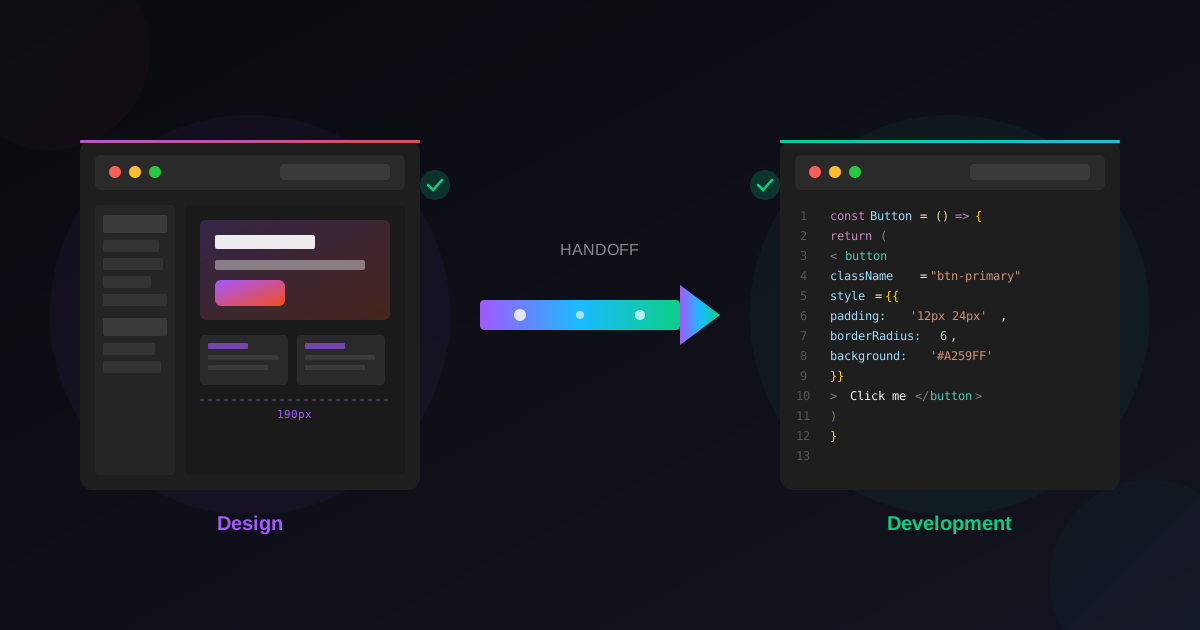
Can you build a website in Figma? You can design the entire site in Figma, but a design file isn't a live, indexable website on its own — you need to publish it to a real domain. That final step is where most portfolios stall.
This is exactly the gap Wonderlist closes. Instead of wrestling with code exports or rebuilding your layout in another tool, you take your finished Figma portfolio design straight to a published, responsive website — so the work you've done actually goes live where recruiters and clients can find it.
Ready to ship? Turn your Figma portfolio into a live site with Wonderlist — no code, no rebuild. [Get started free.]
What Makes a Figma Portfolio Template Actually Good
Not all templates deserve your time. Before you commit hours to customizing one, check for a few markers of quality.
Prioritize files built with components and variables rather than loose, ungrouped layers — they make global edits (color, spacing, type) painless. Confirm there's a mobile layout, not just desktop, and that the structure guides you toward case studies with process, not just pretty thumbnails. Finally, favor templates updated recently; a 2026 layout will reflect current UI trends far better than one abandoned in 2021.
Frequently Asked Questions
Are Figma portfolio templates free?
Most are. The Figma Community offers thousands of free, duplicatable portfolio templates, though some creators also offer paid or premium versions with extra pages and components. Always check the license on the individual file.
How do I make a portfolio in Figma?
Start from a template or a blank desktop frame, set your type scale and color palette, then build a hero, 3–5 case studies, an about section, and contact details. Design a mobile version too, prototype the flow, and publish.
Can you build a website in Figma?
You can design a complete website in Figma, but the design file itself isn't a live site. To publish it to a real domain, you'll need a tool that turns your Figma design into a hosted, responsive website — such as Wonderlist.
Which Figma portfolio template is best for UX designers?
Choose a case-study-led template with dedicated pages for personas, user flows, wireframes, and a design system. These let you show your process, which is what product-design hiring managers actually evaluate.
How do I turn a Figma portfolio into a live website?
Finish your design in Figma, then use a Figma-to-website tool like Wonderlist to publish it to a real, responsive URL — no manual coding or rebuilding required.
Related Reading
Before you publish, confirm you're hitting what hiring managers actually look for, compare portfolio layouts that convert, and learn how templates speed up your entire workflow.
Latest Insights
Other Insights
Dive into our blog to discover insightful articles covering a variety of topics tailored for SaaS platforms.





Design By OwlsTech Service
