🔥 Modulify.ai - Design Webflow sites with AI


Dive deep into our recent blog post featuring expert insights and valuable information for SaaS enthusiasts.
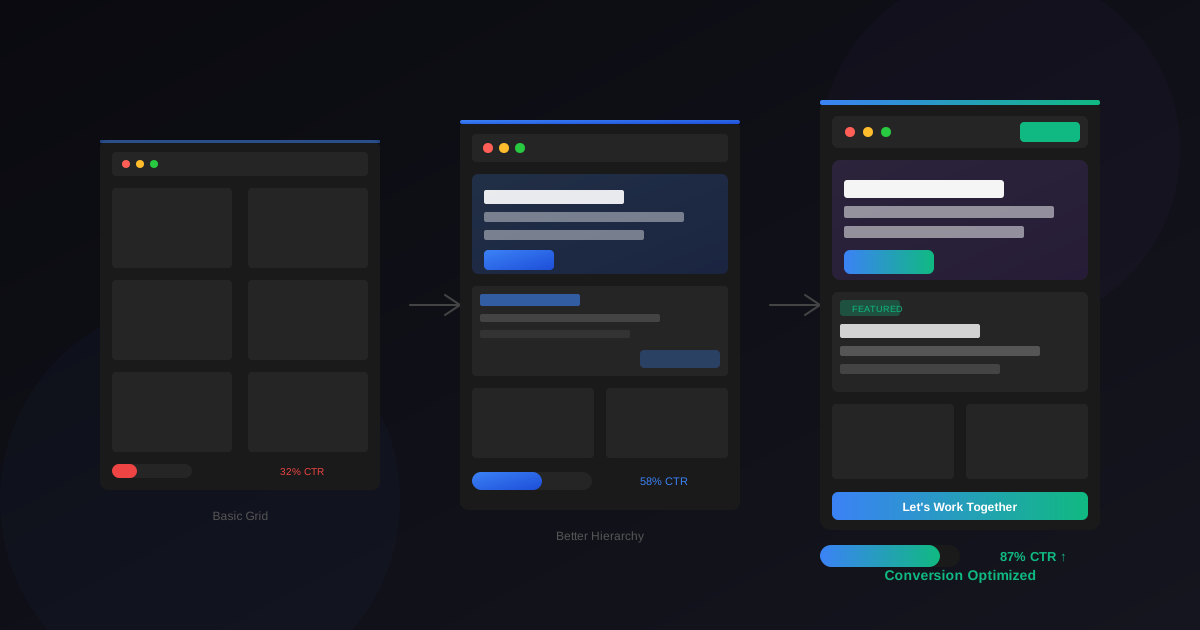
Your portfolio layout is making decisions for your visitors. Every scroll, every click, every moment of confusion—the structure either guides people toward hiring you or quietly escorts them to the back button. Most designers obsess over visual aesthetics while ignoring the behavioral architecture that actually drives conversions.
I've watched designers with stunning work lose opportunities to competitors with average portfolios but superior structure. The difference wasn't talent. It was understood that portfolio design is conversion design. Different rules apply.
Visitors decide whether to stay or leave almost instantly. Your above-the-fold content carries disproportionate weight because most people never scroll past it if something feels wrong. That first viewport needs to answer three questions immediately: who are you, what do you do, and why should I care?
Vague hero sections kill conversions. "Creating beautiful digital experiences" tells visitors nothing. "Product designer helping fintech startups increase user retention" tells them everything they need to decide if you're relevant. Specificity attracts the right people and repels the wrong ones. Both outcomes serve you.
Portfolio navigation should be invisible in the best sense—so intuitive that visitors never think about it. Complex navigation schemes, clever hamburger menus on desktop, or confusing labels all create friction that costs you attention.
Standard patterns exist because they work. A horizontal navigation with clear labels (Work, About, Contact) sets expectations visitors can rely on. Creative navigation experiments might showcase your innovation, but they often frustrate people who just want to see your case studies.
The work grid is where most visitors spend their decision-making time. How you organize and present project thumbnails shapes which work gets attention and how your overall capabilities are perceived.
Thumbnail quality matters enormously. Blurry images, inconsistent aspect ratios, or cluttered compositions make even excellent work look amateur. Each thumbnail should be crafted as carefully as the case study itself. They're movie posters—designed to attract clicks, not comprehensively represent the project.
About pages convert visitors into contacts more often than most designers realize. Someone reading your about page has moved past casual browsing—they're evaluating whether to work with you specifically. This page deserves strategic attention.
Personality matters here more than anywhere else. The about page is where you stop being a portfolio and start being a person someone might want to collaborate with. Include a photo. Real photos build trust and connection that anonymous portfolios can't match.
The contact page is where conversions actually happen—or don't. Friction here costs you opportunities from people who were ready to hire you. Every obstacle between interest and inquiry is money walking away.
Keep forms minimal. Name, email, message. That's it. Asking for budgets, timelines, project types, and company sizes before you've even talked discourages casual inquiries that might become significant projects.
Half your visitors or more are viewing your portfolio on phones. A desktop-first approach that treats mobile as an afterthought fails the people evaluating you during their commute, between meetings, or from their couch.
Touch targets need an adequate size. Buttons and links that work fine with mouse precision become frustrating with fingers. Test your portfolio on actual devices, not just browser resize simulations.
Quality execution matters more than originality. A well-implemented template beats a poorly executed custom design.
Six to twelve typically works well. Enough to show range without overwhelming.
Generally no. Pricing discussions are context-dependent and better handled in conversation.
Need a portfolio layout that converts? Wonderlist offers 30 portfolio-focused Figma templates with conversion-optimized structures—ready for your customization and case studies
Latest Insights
Dive into our blog to discover insightful articles covering a variety of topics tailored for SaaS platforms.


Design By OwlsTech Service