🔥 Modulify.ai - Design Webflow sites with AI


Dive deep into our recent blog post featuring expert insights and valuable information for SaaS enthusiasts.
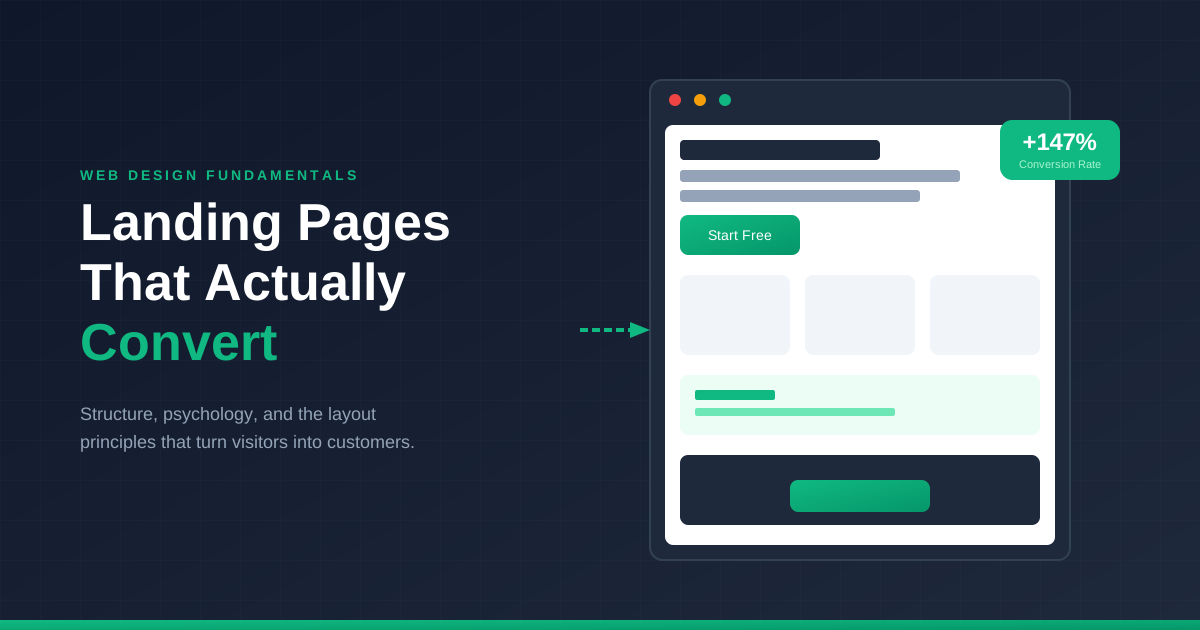
Every landing page makes a promise. Visit this URL, and something valuable awaits—a solution, an opportunity, a transformation. The page's job is convincing visitors that promise is worth their email address, their money, or their time.
Most landing pages fail this job spectacularly. They load, visitors glance, visitors leave. No conversion. No engagement. Just another bounce adding to depressing analytics. The frustrating part? The difference between pages that convert and pages that don't often comes down to structural decisions that have nothing to do with how "pretty" the design looks.
What separates high-converting landing pages from digital dead ends isn't subjective taste. It's understanding how visitors process information and make decisions under time pressure.
People don't read landing pages. They scan. Their eyes jump to headlines, images, and buttons while skipping body text entirely. Knowing this changes everything about how you structure information. The hierarchy isn't just visual preference—it's the difference between your message landing and your message being ignored.
The most effective pages follow predictable patterns because human attention follows predictable patterns. Fighting these patterns in pursuit of "originality" usually just means fighting your conversion rate.
Your above-the-fold content carries absurd weight. Most visitors decide whether to scroll or bounce based entirely on what loads in that first viewport. Three seconds. Maybe five if you're lucky.
That's not enough time for nuance. It's barely enough time for a single clear message. Your hero needs to answer one question instantly: "Is this for me?" Everything else—features, testimonials, pricing—comes later. If visitors don't feel immediately relevant, they won't stick around to discover how great your product actually is.
Specificity beats cleverness every time here. "Marketing automation for e-commerce brands" tells me exactly who this is for. "Revolutionize your digital journey" tells me nothing. The first might exclude some visitors. Good. The second fails to connect with anyone.
After the hero hooks attention, the page needs momentum. The most reliable structure follows an emotional arc that mirrors how humans process purchasing decisions.
Start by naming the problem explicitly. Visitors should feel seen and understood. "You're spending hours on manual data entry that should take minutes" hits differently than jumping straight to feature lists.
Then agitate slightly. Not manipulation—just acknowledgment of real consequences. What happens if this problem continues unsolved? What opportunities slip away? What frustration accumulates? This isn't about creating fear. It's about establishing genuine stakes.
Only then introduce your solution. The contrast between problem-awareness and solution-presentation creates natural relief. Visitors aren't just hearing about features—they're seeing salvation from a problem they now viscerally feel.
Testimonials and logos aren't decoration. They're psychological anchors that reduce perceived risk at critical decision moments. But placement matters more than volume.
Generic logo bars at the top of pages have become so common they're practically invisible. More effective: positioning specific testimonials immediately after introducing claims that might trigger skepticism. Just explained a bold benefit? Follow it with someone confirming that benefit is real.
The best social proof feels like overhearing a conversation rather than reading advertising. Specific details beat vague praise. "Increased our conversion rate from 2.3% to 7.8% in three months" convinces where "Great product, highly recommend!" bounces off.
Button design gets obsessive attention, but button context matters more. Where CTAs appear, what surrounds them, and what visitors just read all influence click likelihood.
Primary CTAs belong in the hero and repeated after major value propositions. But resist the urge to plaster buttons everywhere. Desperation repels. A page with fifteen "Sign Up Now" buttons feels like a carnival barker, not a confident solution.
The text on buttons shapes expectations and anxiety. "Start Free Trial" feels lower commitment than "Get Started." "See Pricing" feels exploratory while "Buy Now" feels final. Match your button language to where visitors likely are in their decision process.
Every visitor carries unspoken concerns. Price, complexity, time investment, whether this really works for their situation. Great landing pages address these objections preemptively rather than hoping visitors don't think of them.
FAQ sections serve this purpose explicitly. But objection-handling works throughout the page too. Small reassurances near CTAs—"No credit card required" or "Cancel anytime"—dissolve friction that otherwise stops clicks.
Think about what would make you hesitate if you were the visitor. Then answer those concerns before they fully form. This isn't manipulation. It's thoughtful communication that respects your audience's legitimate concerns.
Here's a reality check: depending on your audience, 60-80% of traffic might come from phones. Yet most landing page design happens on desktop screens, with mobile as an afterthought.
This backwards prioritization shows in the results. Pages that convert beautifully on desktop often stumble on mobile—buttons too small, forms too long, content too dense for thumb-scrolling context.
Design mobile-first, then expand for desktop. The constraints of mobile force clarity that benefits every viewport. If your message doesn't work on a phone screen, it probably isn't as clear as you think.
Length should match offer complexity and visitor awareness. Simple offers to warm audiences can be short. Complex offers to cold audiences need more content to build understanding and trust. Test both approaches.
Generally no. Navigation provides escape routes that reduce conversion focus. Keep visitors on the path toward your primary action rather than offering distractions.
Varies wildly by industry and offer. 2-5% is typical for many contexts. But improving your own baseline matters more than hitting arbitrary benchmarks.
Minimum necessary to qualify leads. Every additional field reduces completion rates. Name and email often suffice initially—gather more information after establishing relationship.
Message match matters more than visual match. Visitors clicking ads have specific expectations. Your landing page headline should immediately confirm they're in the right place.
Latest Insights
Dive into our blog to discover insightful articles covering a variety of topics tailored for SaaS platforms.


Design By OwlsTech Service